OMM
A fast, private, local AI model runner. Pull models, run inference with GPU acceleration, and use them from any app — all without sending data to the cloud.
What It Does
OMM runs GGUF models locally using llama.cpp. It exposes three API protocols from a single process, so any tool that works with Ollama, OpenAI, or Anthropic can point at OMM instead.
| Endpoint | Compatibility |
|---|---|
/api/* | Ollama (full drop-in) |
/v1/chat/completions | OpenAI SDK |
/v1/messages | Anthropic SDK |
One binary. One port. Three protocols.
Install
bashcurl -fsSL https://poly.inc/omm.sh | bash
This installs both the CLI and the desktop app.
CLI
bashomm run llama3.2          # pull + chat
omm pull --hf bartowski/Qwen2.5-7B-GGUF   # pull from HuggingFace
omm serve                 # start API server
omm ls                    # list models
omm ps                    # show running models
omm stop --all            # unload everything
Models download with progress bars, resume on interruption, and deduplicate shared layers.
Desktop App
A native app built with Tauri. Dark glassmorphism UI with:
- Chat — Stream responses, multi-modal (images), thinking/reasoning mode
- Model Library — Browse, download, delete models. Live download manager with speed graph and pause/resume
- System Monitor — Real-time CPU, RAM, GPU, VRAM tracking
- Model Presets — Per-model temperature, context length, system prompt
- System Tray — Quick actions: new chat, model library, monitor, restart/stop server
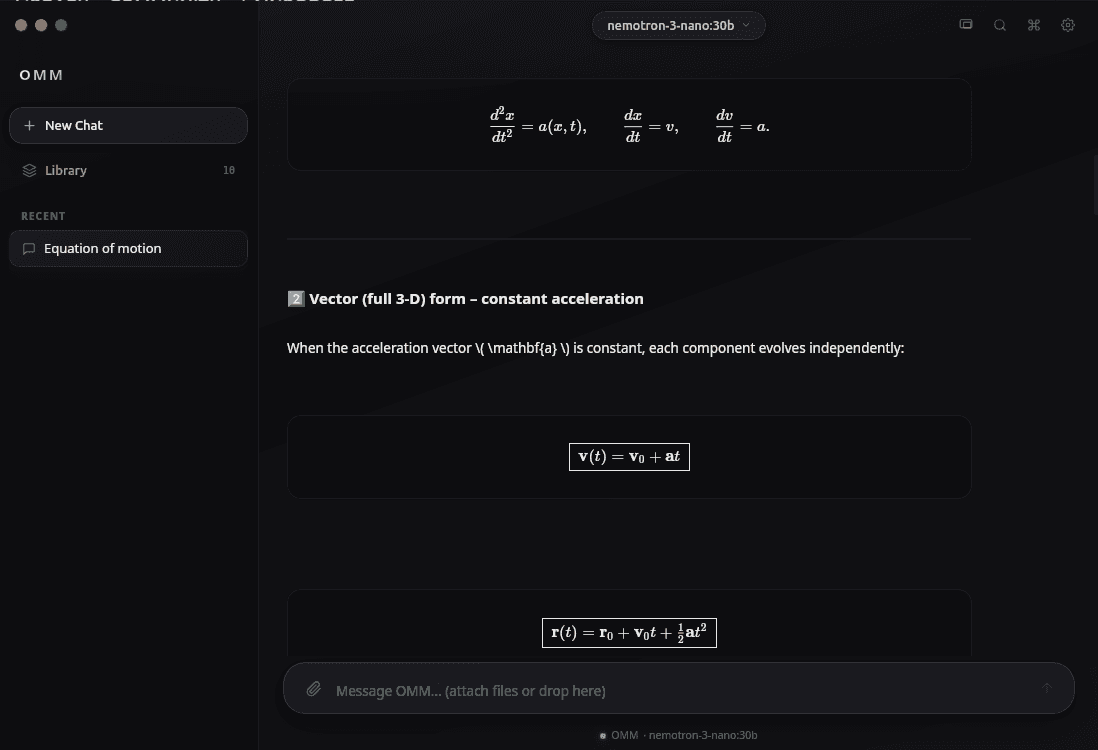
- LaTeX Rendering — Math equations rendered inline
GPU Acceleration
Build with a feature flag to enable your GPU:
bashcargo build --features cuda    # NVIDIA
cargo build --features metal   # Apple Silicon
cargo build --features vulkan  # AMD/Intel
cargo build                    # CPU-only
Automatic GPU detection, VRAM monitoring, and layer allocation.
Use With Any Tool
OMM works as a backend for tools that expect OpenAI or Ollama APIs:
bash# Claude Code
ANTHROPIC_BASE_URL=http://localhost:11435/v1 claude

# Any OpenAI SDK app
OPENAI_BASE_URL=http://localhost:11435/v1 your-app

# Ollama-compatible tools
OLLAMA_HOST=http://localhost:11435 open-webui
Under the Hood
- Language: Rust
- Inference: llama.cpp via
llama-cpp-2crate - Server: Axum (async, zero-copy streaming)
- Desktop: Tauri + React
- GPU: CUDA, Metal, Vulkan, ROCm
- Formats: GGUF (primary), with HuggingFace integration
- Default Port: 11435
- Storage:
~/.omm/models/with SHA256 content-addressable blobs