The wire, calendar & everyday tools
The desk's supporting cast: the news wire that writes into your journals, the shared calendar, the arXiv browser, your activity record, the ToolKits, and the sharing controls. None of them is why you opened a journal, but each one removes a detour you would otherwise make several times a week — out to a news site, out to a paper search, out to a calendar. Everything here keeps its output inside the desk, which is the quiet theme of the whole journal.
The wire
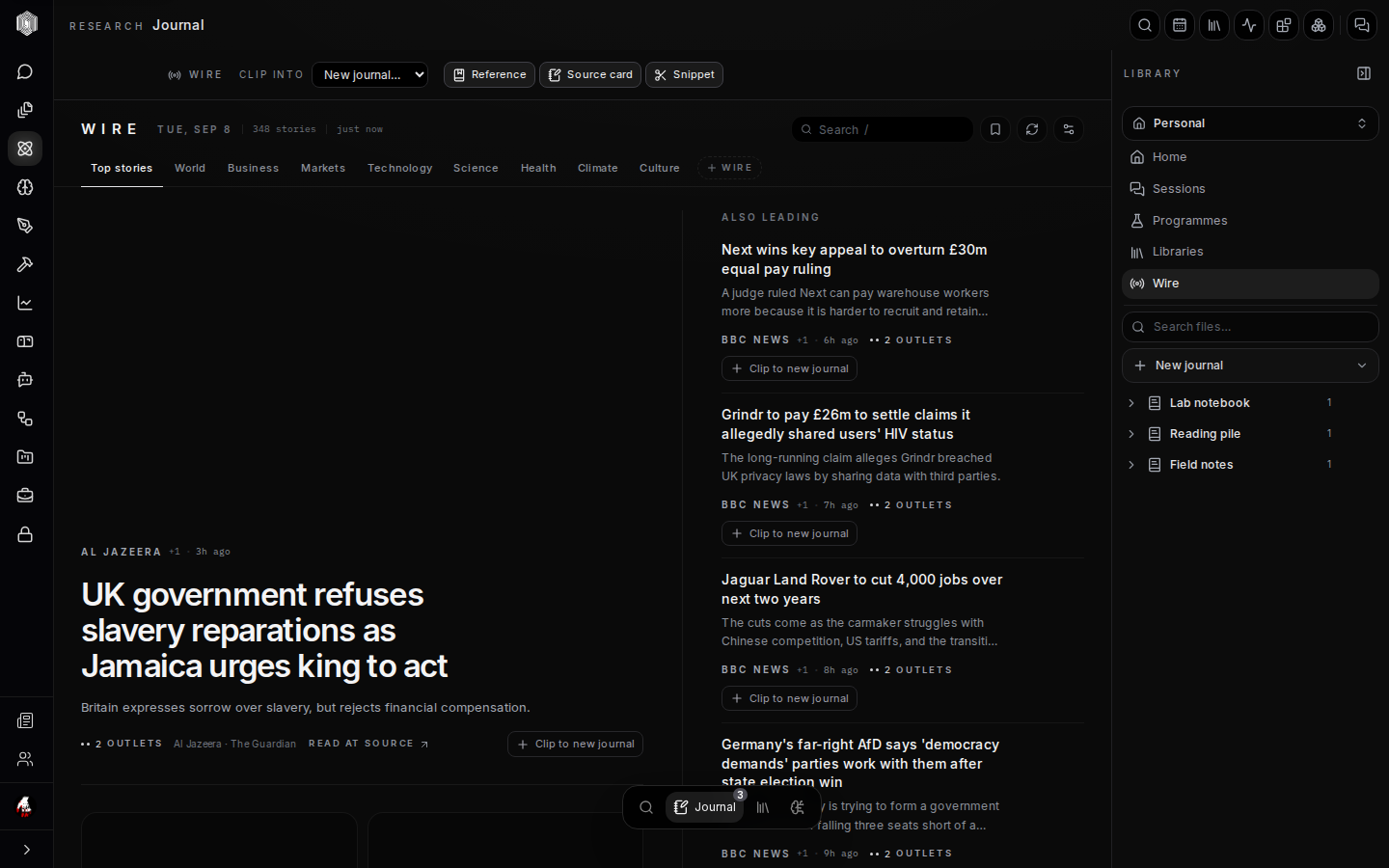
The wire is a live news desk inside the Journal: a curated set of newsrooms, ranked and categorised — top stories, world, business, markets, technology, science, health, climate, culture — readable without leaving the app. Stories show their source and age, and can be opened at the original publisher with Read at source. It is the same wire the standalone news section serves; the Journal simply mounts it where reading turns into writing.
The wire's one extra verb is the point. Every story offers Clip to — sending the story into the journal named in the header — in one of three forms: as a Reference (a citation appended to the journal's references list), as a Source card (a cited card, article body included when the site allows, that lands on a page), or as a Snippet (a saved fragment for the snippet bank). The clip target is chosen in the header above every row, so you always know where a click will file the story before you click it.
What a clip actually lands
Clipping is honest about what it got. A source-card clip tells you what landed: if the article's body could not be fetched — paywalls and stubborn sites exist — the card holds the headline, source, and date, and says so, rather than looking richer than it is. That distinction matters later: a citation that says "I read this" and a card that contains the article are different evidence, and a research desk that blurs them quietly corrupts its own notes.
The practical habit: clip as a reference when you are logging that something exists, clip as a source card when the content itself belongs on a page you are writing. Wire stories clipped into a journal become ordinary journal material — searchable by the space search, visible to the AI actions as sources, and exportable with everything else.
The calendar
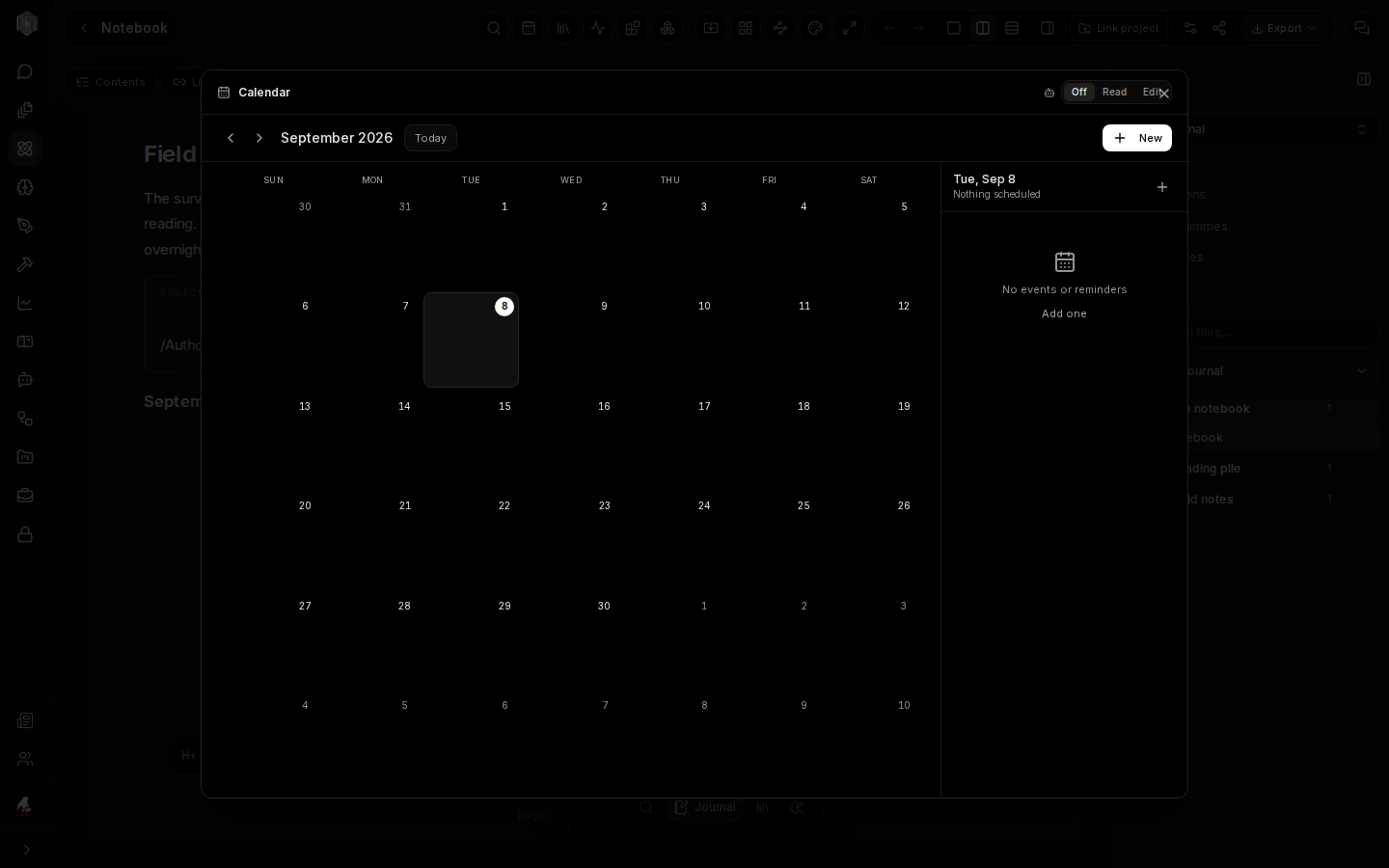
The calendar (the date icon in the journal header) is the space's shared month: dead lines, meetings, field days — anything with a date that the work has to aim at. The right panel lists the selected day's events and reminders, New creates one, and existing events can be moved or edited by whoever has access. The calendar belongs to the space, not to one journal, so Personal shows only your own dates while a shared space shows everyone's.
It connects to the writing in both directions. The insert menu's Event item drops a calendar chip onto a notebook page — a deadline referenced in the plan that owns it, clickable back to the calendar. Space events sync while the calendar is open and online; add events made offline again once you reconnect. The header's Off / Read / Edit switch controls how the calendar is shared.
arXiv browser
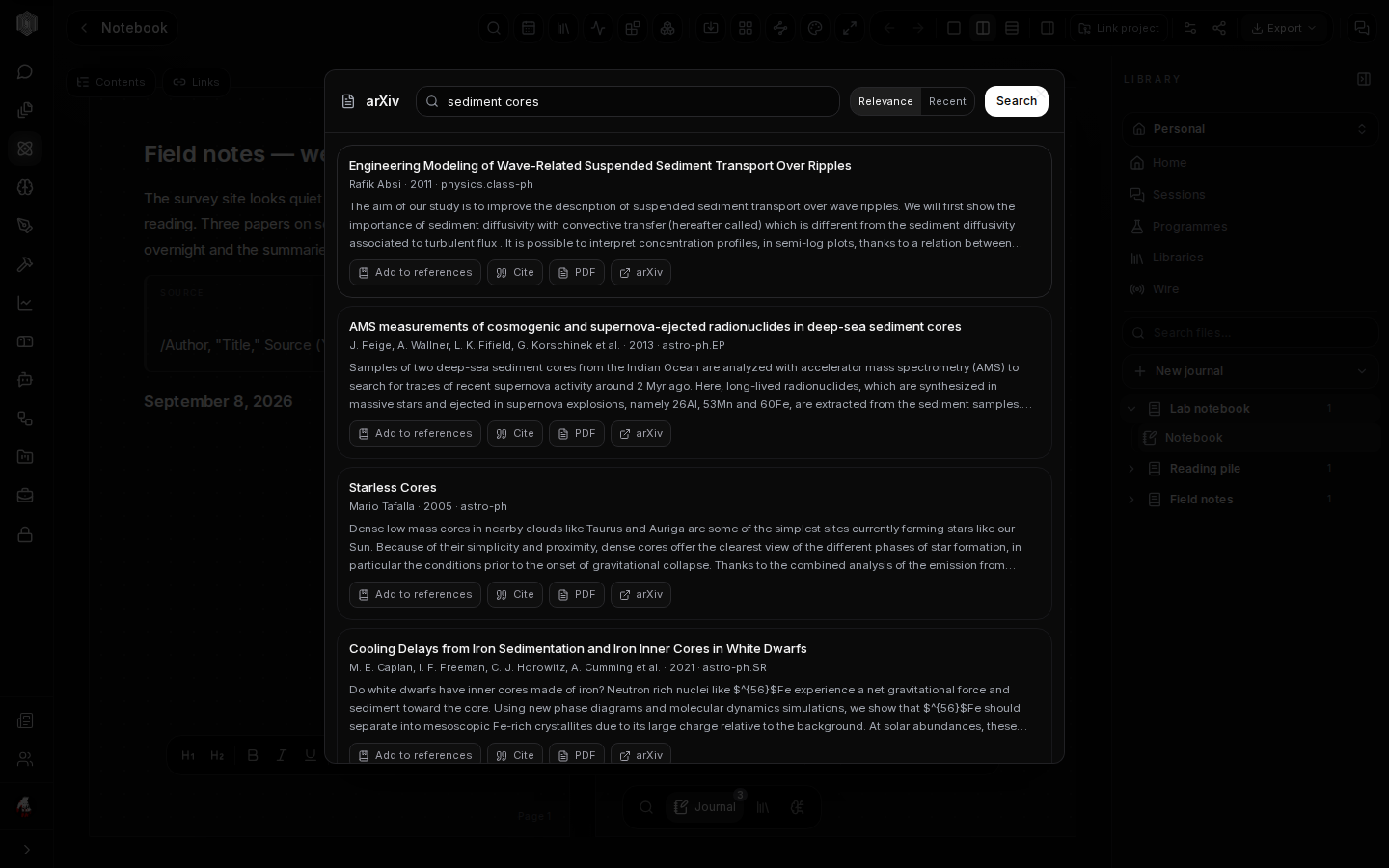
The book icon opens the arXiv browser: a search box over the arXiv preprint server, with relevance and recency ordering. Results arrive with their abstract, authors, year, and subject area, each offering Add to references (straight into the journal's bibliography, no copy-paste), Cite (a ready-made citation), PDF (the paper itself), and the arXiv link for the original. Searching, skimming abstracts, and filing the three papers that matter is one loop that never leaves the desk.
Papers added this way are real references — they feed the references list, appear as source material the AI actions can read, and can be cited from any page in the journal. For work in physics, mathematics, and the computational sciences this is the fastest path from "I know a paper exists" to a source card sitting under the paragraph it supports.
Commitments — your activity
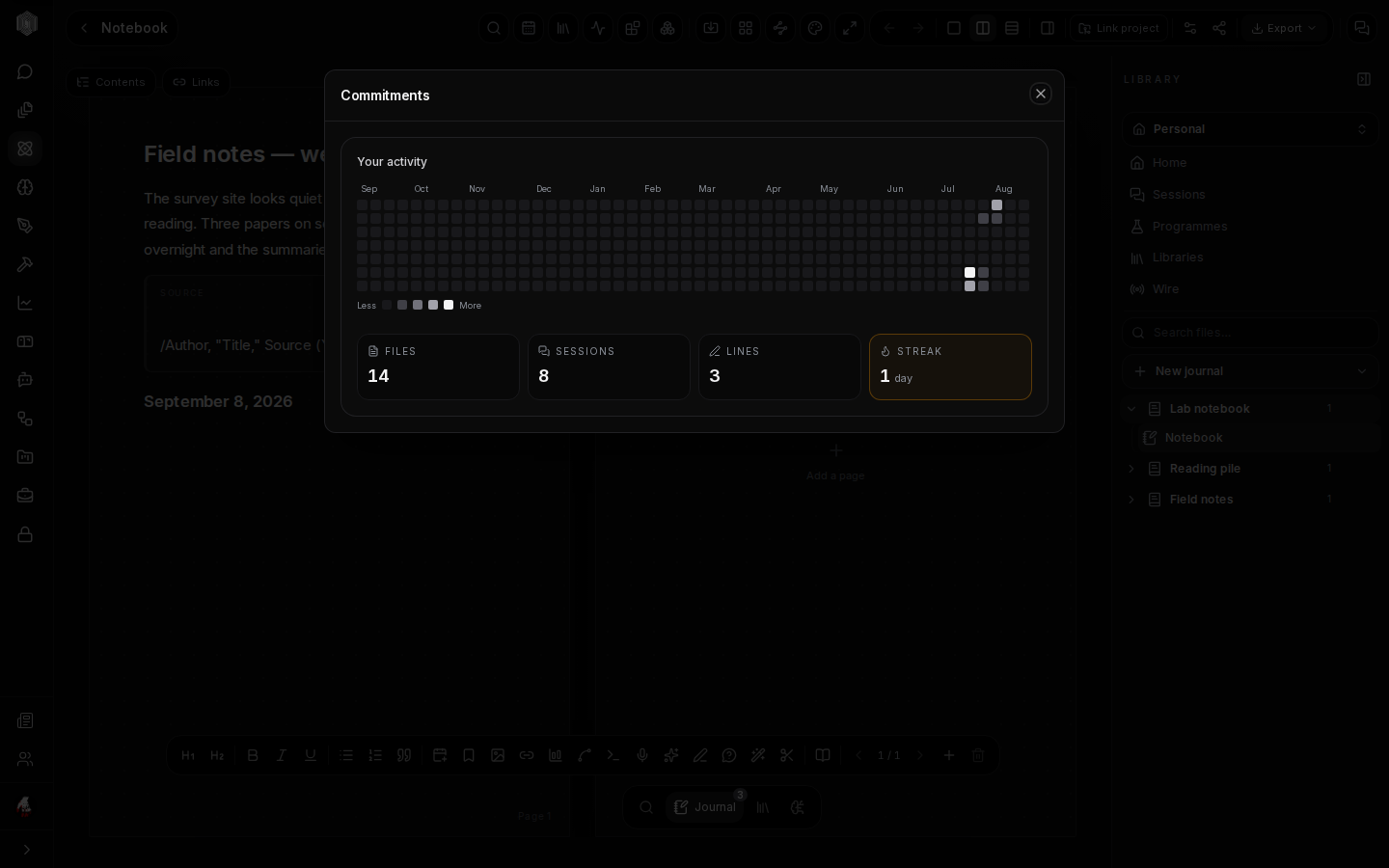
The pulse icon opens Commitments, the desk's honest mirror: a year-wide grid of writing activity — every day you touched a journal lit by how much — with the totals beneath: files written, sessions held, lines written, and the current streak of consecutive days. It is in the same spirit as a practice tracker, and like a practice tracker its value is in what it does not judge: a blank month is shown as a blank month, not hidden.
In a shared space the dialog shows a second graph — all members — so a reading group or lab can see the desk breathing collectively. There is no leaderboard and no scoring; the only person the graph is for is you, and the only number worth beating is yesterday's blank square.
ToolKits
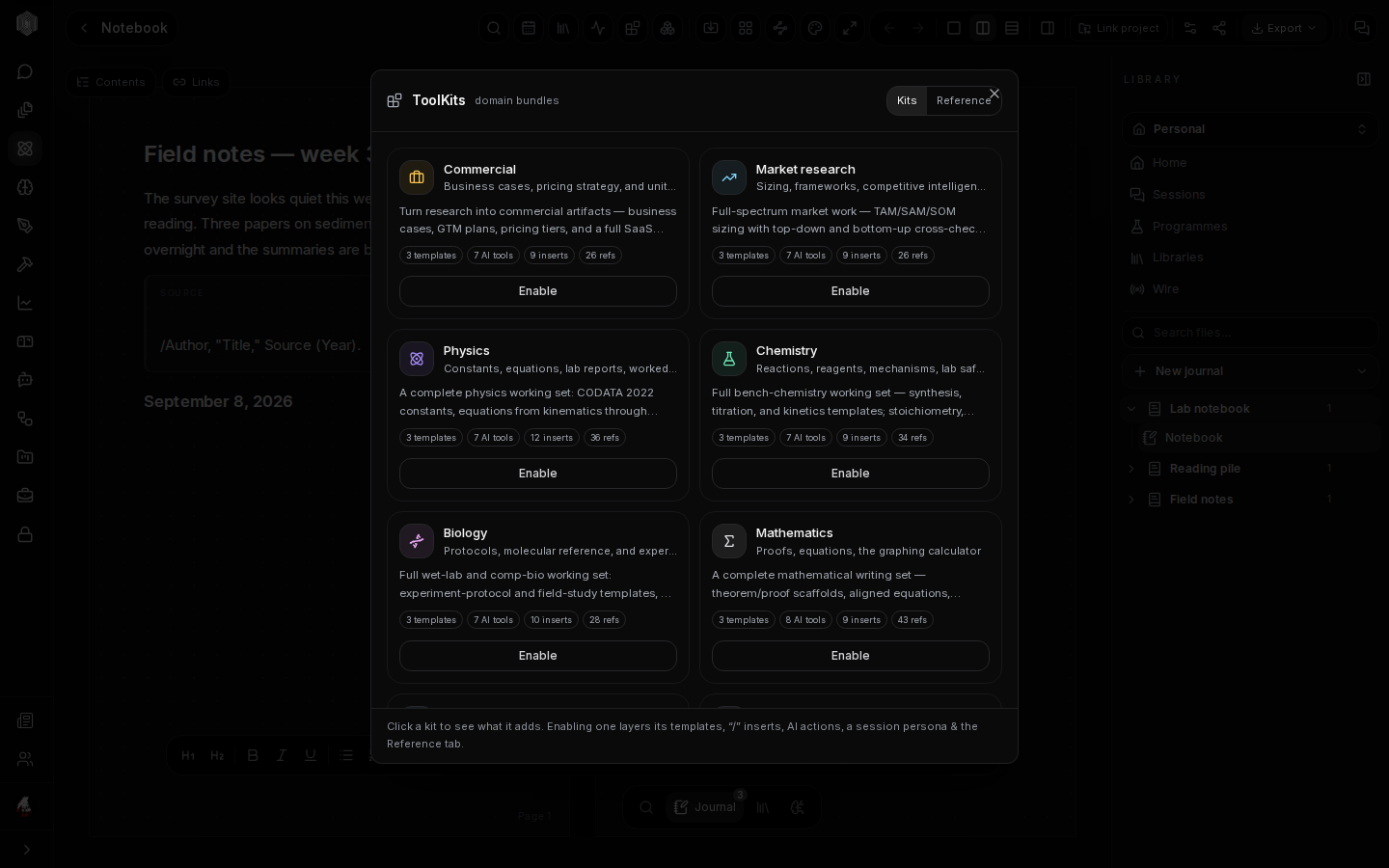
ToolKits (the blocks icon) are domain bundles that dress a journal for a field. Each kit —
Commercial, Market research, Physics, Chemistry, Biology, Mathematics, and more — layers four
things onto the desk at once: templates (page structures the field actually uses — titration
write-ups, business cases, proof scaffolds), AI tools tuned to the domain, the kit's own
/ inserts, and a reference tab of constants, reagents, or market frameworks that
search finds instantly. A kit's contents are additive: enabling one never removes anything
you made.
Kits are the fastest way to make an empty notebook feel like it was designed for your work. Click a kit to see exactly what it adds before committing, enable the ones a project needs, and ignore the rest — they cost nothing disabled. For a student's first lab notebook or a founder's first market study, the right kit turns the blank page into a form to fill.
Sharing a journal
The share icon in the journal header opens the sharing controls. Turning on anyone with the link creates a read-only preview of the journal at a public address — with an optional expiry date and an optional password — and Copy puts the link on your clipboard; Revoke kills the link outright whenever you want it dead. Anyone opening the link sees a clean, view-only rendering of the journal, not the editor, and the link's reach ends the moment you revoke it.
For named collaborators, the same dialog manages invited people by email, with their own access. Sharing is per journal, never per desk: one project can be public while the rest of your research stays exactly as local and private as it was. Combined with the PIN lock from the desk page, the privacy dial has a full range — encrypted and unshared, shared with two colleagues, or read-only to the world. Attached .docx files live in Office on our servers, AI actions send text to our model provider, and a share link or invite publishes a snapshot of the journal's content to our servers.
The small print
Three habits keep the desk pleasant at scale. Export before big surgery: a .journal
file takes a minute to make and is the cheapest insurance in the app. Let search do the
remembering: the space search reads your actual words, including session transcripts, so
the memory you are protecting by organising is already indexed. Keep one journal per
project: the shelf, themes, and covers are all built around the book as the unit of work,
and the desk rewards you for treating it that way. Everything else — kits, snippets, labels —
is there when a project grows into it, and invisible until then.