Wallets & money
Everything money-related lives in one place: the Wallet dock icon. This is the page for your own money — the wallets you hold, the swaps you make, the orders you set, the calendar of how you have been doing — while agents spend within budgets you set on their own pages, and the trading terminal spends from whichever wallet the ticket is pointed at. If the Home page is your desk, this is your vault: slower-moving, more deliberate, and the page to open before and after anything adventurous happens elsewhere. The whole page is built around one distinction you already know by now — paper money and live money never blend — and every card on it keeps the two honestly separate.
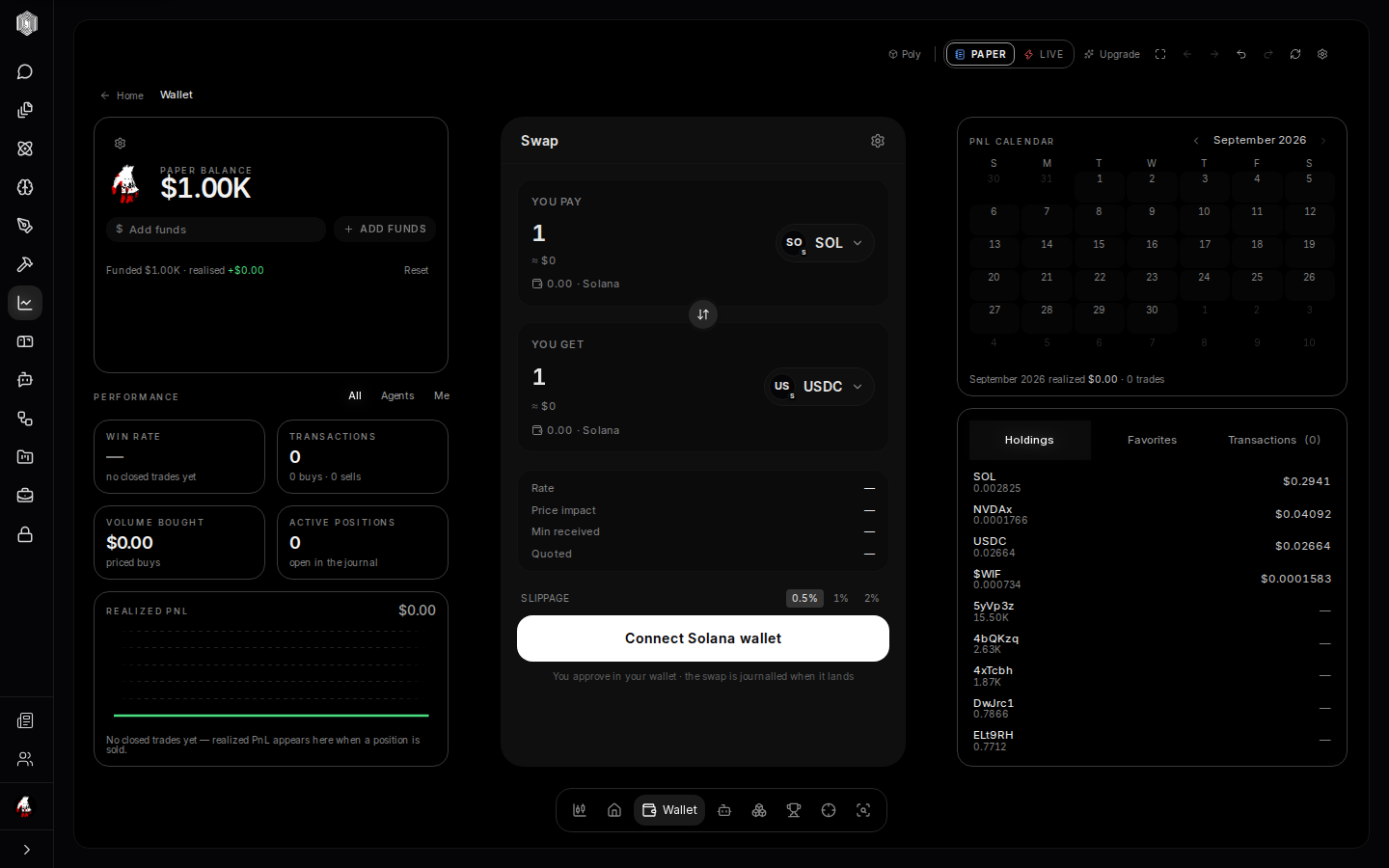
The wallet card
The left column lists your wallets. Add wallet connects a Phantom (Solana) wallet you control. Poly reads its holdings — so they count in your book and follow you across devices — and cannot move anything from it: every trade from it is one you sign in Phantom. One wallet is always the primary (the star): the one the trading ticket reaches for by default.
The two books, one more time
The paper/live switch follows you here too, and the wallet page is where the difference is most visible. In paper mode your balance is the practice ledger — real prices, fake dollars, every row honestly chipped. In live mode it is the real thing, and the page behaves accordingly: swaps quote and settle on-chain: you see the quote before you confirm, and your wallet shows the transaction before you sign it. The habit the whole product encourages is to do everything once on paper — swap, order, set a stop — and flip to live only when the mechanics hold no surprises.
Swap
The center column is the swap: pick what you have and what you want, take a preset or type an amount, and read the quote — what you receive, and the details folded beneath (the route the trade takes and the fee it costs). Confirm, sign, done; the transaction lands in your journal on the same page, so the record and the money stay together. Swapping is the plainest way to move between two coins without opening the full terminal, and it uses the same quoting machinery as the ticket there — one price engine, one set of rules, so a number you learned to read on one page means the same thing on the other.
Orders
The trade card's Order tab is where the quiet magic lives. A limit order says "buy this when the price reaches that" and waits patiently until it does. A recurring order (the DCA habit — dollar-cost averaging) buys a fixed amount on a schedule, smoothing your entry across days instead of betting on one moment. A limit order and a recurring order are placed with Jupiter on Solana: you sign each one in your wallet, and Jupiter's own order-filling network fills it on-chain — Poly's keeper wallet is not involved. A stop you set here is watched in your browser while a finance tab is open; when the price crosses your line it asks you to confirm the sale — it never sells on its own. Open orders are listed with their state and can be cancelled until they complete.
The keeper
The keeper wallet is reached from a trading agent, not from this page: If you run a trading agent in the cloud, it trades from a keeper wallet that Poly creates and holds for you: its private key is generated and stored, encrypted, on our servers. Trades from a keeper wallet run only while we have switched keeper execution on for the service. You fund it from your own wallet with a transfer you sign, and withdraw from the agent's Funds card.
The PnL calendar
The right column answers "how have I actually been doing." The PnL calendar lays your realized profit and loss across the days of the month — green days, red days, and the pattern they make at a glance — with performance tiles and a curve above it for the longer arc, so one bad Tuesday can be seen in proportion instead of in isolation. Realized means closed: the moment a position is sold, its result becomes a square on this calendar; until then it lives in the book as unrealized, moving with the market rather than settled. The honesty rules hold here too — a day with no closed trades is not a zero, it is simply a day, and the calendar never dresses up an empty one.
Receipts — the trade you can share
Any closed trade can become a receipt: a clean, exportable card with the coin, the dates it was held, the proceeds, the cost, the fee, and the realized profit in large type. Paper trades are chipped as paper on their face — a receipt that flattered would be worthless, so the fine print is part of the design. Receipts exist because sometimes you want to show a trade without handing over your whole account: one card, the facts, the numbers the way the ledger recorded them. Share it, save it, or use it as the period's summary in your own notes.
Top-ups
When your credit balance runs low, the balance card's top-up flow is a short ride through Stripe checkout and back — the success page verifies the payment with the platform before celebrating, and the funds land in your balance, with the whole thing idempotent so a refresh, a retry, or a duplicated confirmation can never double-charge you. If the confirmation ever fails, the page tells you honestly and offers a retry rather than leaving you guessing about money you may have spent. Paper balances are practice money and need no top-up, and live trading from a wallet you connect needs none either: your wallet only sends what you sign.