Your agents
An agent is a small trader that works for you. It runs in this tab or in the cloud. You decide which coins it may touch, how much it may spend, and the rules it must obey; it watches the market on a schedule and makes careful, explainable decisions — then shows you exactly why it did what it did. A new agent starts on paper, and it trades only inside the limits you set. If the trading terminal is the part of Poly where you trade, agents are the part where you teach something to trade the way you would — and then watch whether it actually does. Everything about them lives under the Agents dock icon.
Creating an agent
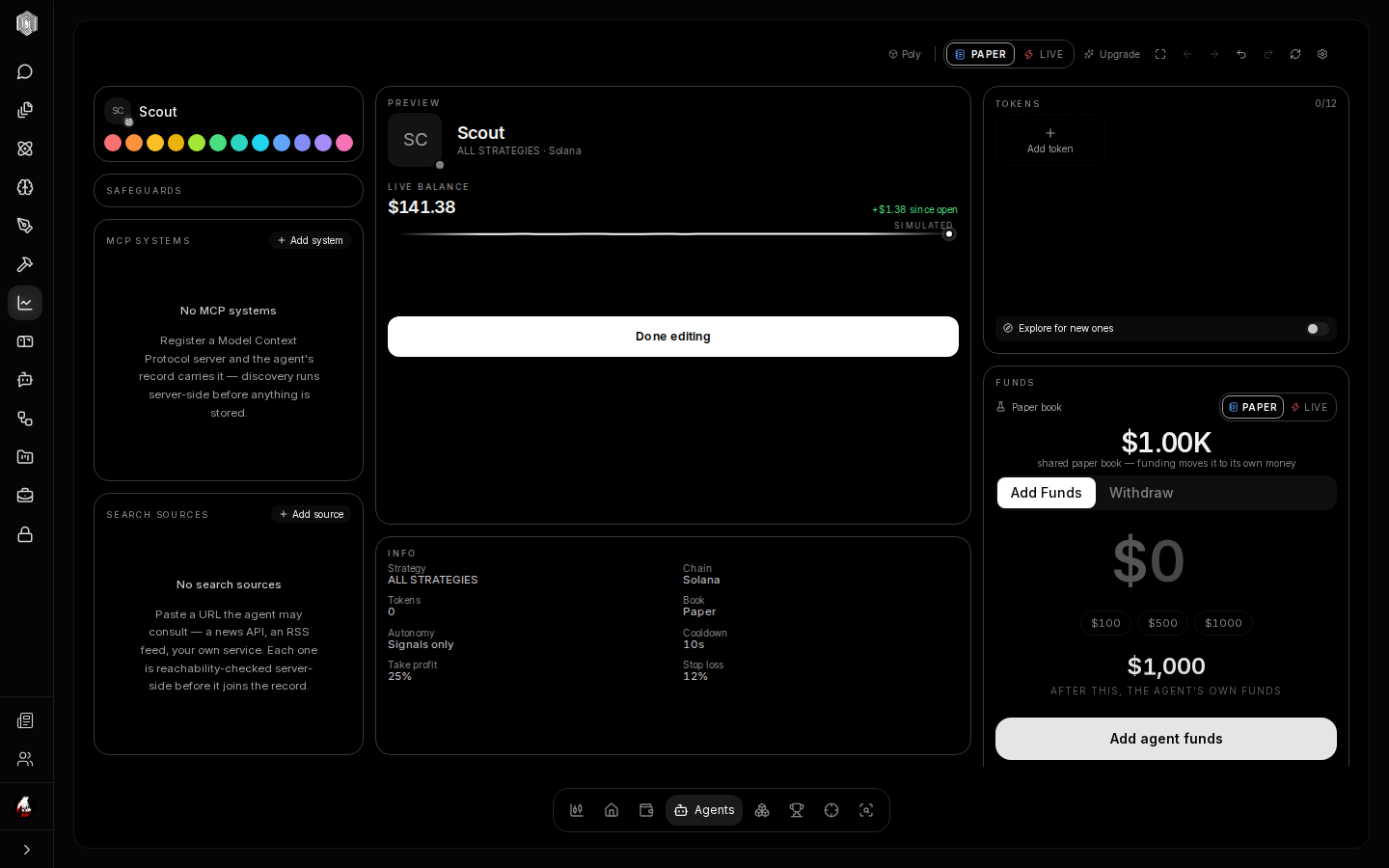
Click Create agent on the Home page's agents card (or inside the Agents area) and the builder opens with a fresh draft. The identity card gives it a name, an icon, and a color — small things that matter more than they sound, because after a week you will know your agents by their marks the way you know people by their faces. Below the identity, the Tokens card sets the agent's universe: the coins it is allowed to trade, picked from a shelf or a picker. This is a hard boundary, not a suggestion — an agent cannot buy a token you did not name for it. The Discovery card's Let it find tokens on its own switch widens the universe by letting the agent discover and admit new tokens itself, within the same caps.
Training style — the two dials
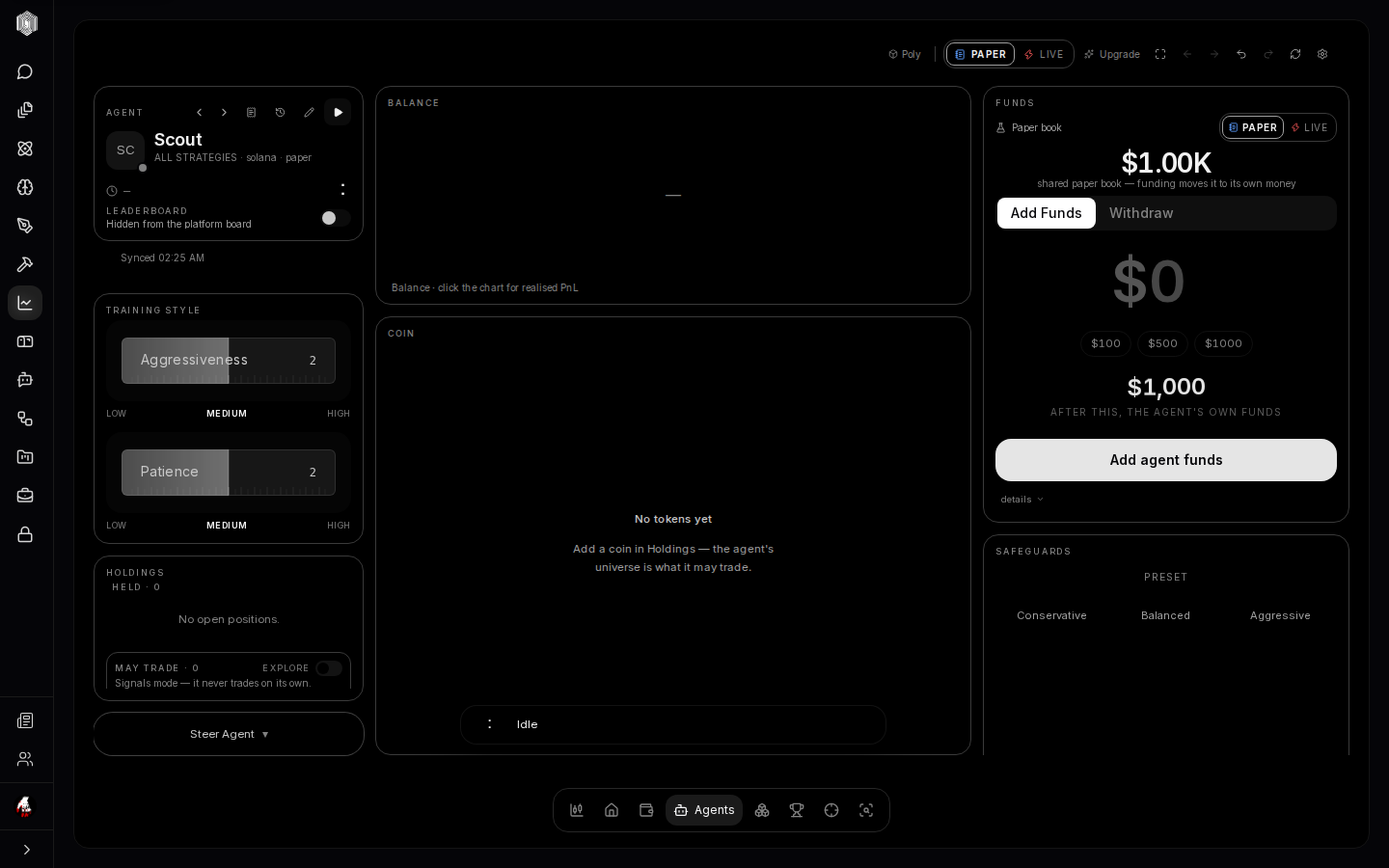
Every agent has a temperament expressed as two dials: Aggressiveness and Patience, each with five steps from low to high. Aggressiveness is how readily the agent takes a trade when it sees a setup; patience is how long it will wait for the setup to mature. These are not decorations — the words you pick here are the same words the agent's decision-making actually reads. A patient, cautious agent trades rarely and small; an aggressive, impatient one trades often and moves first. There is no correct setting, only what you meant to build, and you can slide the dials while the agent runs — the change lands on its next decision.
Funds — what the agent may spend
What an agent spends depends on where it trades. A paper agent has its own pot; until you fund it, it trades from your shared paper balance. An agent running in this tab trades from your wallet, up to the ceiling you set, and your wallet signs each trade. An agent running in the cloud trades from its keeper wallet: If you run a trading agent in the cloud, it trades from a keeper wallet that Poly creates and holds for you: its private key is generated and stored, encrypted, on our servers. Trades from a keeper wallet run only while we have switched keeper execution on for the service. Withdraw takes a paper agent's cash that is not in a position back to your paper balance, sends SOL from a keeper wallet back to your wallet, and for an agent in this tab lowers its ceiling. Open limit and recurring orders keep running until you cancel them in the trade card's Order tab.
Safeguards — the guardrails
The safeguards card is a small carousel with four pages: Preset (Conservative / Balanced / Aggressive — one click sets a whole coherent bundle), Control (the per-trade cap, the daily cap, the maximum number of open positions, the cooldown between trades), Entrance (what must be true before the agent buys — minimum liquidity, safety checks it must respect), and Exit (the take-profit and stop-loss lines at which the agent closes a position while it is running; in this tab your wallet asks you to sign the sale). Each field has an explanation a tap away. These guardrails run below the agent's decision-making — even if the agent wants to break one, the gate refuses, and the refusal is written into the log. Nothing here is decorative.
Steering — talking to your agent
The Steer Agent pill at the bottom of the left column opens a message box. What you write is guidance, not a command: it lands in the agent's reasoning on its next decision, alongside its own reading of the market. "Stay out of anything under $1M market cap" or "you are holding too long, tighten your exits" — the agent weighs your steer the way a junior trader weighs a note from their lead, and the note itself is kept with the run so you can later see what you said and what the agent did about it. It cannot be used to make the agent bypass its safeguards; steering changes judgment, never limits, and a steer that asks for the impossible simply loses the argument.
The action island and the feed
Floating on the agent's chart is the action island: a small bar that shows the agent's state (running, thinking, idle, stopped), its latest action — Bought WIF, Held, Blocked — and how much money moved. Click it and it opens into the full detail of the current tick and the scrollable past: every decision, the reason the agent gave, the signals it saw, and anything the guardrails refused. This is the part worth falling in love with. Agents are not black boxes here; every single action arrives with a sentence explaining itself, and a block is never silent.
Logs — the run journal
The builder's Logs card is the agent's complete journal, browsable and filterable: runs by day, by outcome, by symbol, with an optional reasoning-trace view that shows the agent's actual thinking for a tick. Every decision — including the ones that ended in hold or blocked — is in there with its full context, which is what makes the log a teacher instead of a receipt pile. Everything exports to CSV or JSON, so you can take the history to a spreadsheet and study your agent the way it studied the market. If an agent is doing well, the logs say why; if it is doing badly, the logs say that too, and both statements are worth more than the PnL line alone.
Replay and receipts
Two smaller things round out the agent's page. Trade replay plays an agent's day back as a film: the price line sweeps across the chart and the events — buys, sells, holds, blocks — appear at the moments they happened, at 1×, 60× or 600× speed, with the events before the playhead visible and the future genuinely not. It is the best way to understand a day you were not watching, and the honest way to check whether an agent's "strategy" is anything more than luck. PnL receipts turn any closed trade into a clean, shareable card: entry, exit, fees, realized profit — realized only, and paper trades say so on their face, because a receipt that flatters would be worth nothing.
What the agent cannot do
Worth saying plainly, because it is the design's core promise: an agent cannot touch a token outside its universe, cannot skip its cooldowns, cannot disable its own exits, and cannot spend past its caps or the balance it trades from. Every block is visible in the feed with its reason, so a refused trade is never a mystery — the agent wanted something, a rule said no, and both halves of that sentence are written down. If a guard ever blocks something you believe was fine, an override pill on that block lets you except that one case: deliberately narrow, always visible in the feed, and revoked as easily as it was granted.