Office — start here
Office is the desk where work becomes documents. Nine formats share one home: word-processing documents, quick notes, spreadsheets, slide decks, PDFs, charts, chart boards, task boards, and whiteboards — plus a knowledge graph that maps all of it. This page gives you the shape of the section in one read: what each format is for, where your files live, and the fastest path to a first document. Every other page in this group goes deep on one part of the desk.
What Office is
Office answers the questions that chat alone cannot finish. A conversation can draft a proposal, but a proposal wants to live somewhere, get edited next week, be commented on by two colleagues, and eventually be printed or exported. Each Office format is that "somewhere" for one kind of work: documents for writing, spreadsheets for numbers, decks for presenting, boards for tracking, whiteboards for thinking, and so on. All of them open in the same dark desk, share the same header habits, and save as you type.
The formats are deliberately real rather than toy versions. Documents export as genuine
.docx; spreadsheets as .xlsx; decks present full-screen; PDFs can be annotated and
re-assembled; boards carry swimlanes, WIP limits, and due dates. If you have used a desktop
office suite, every surface here will feel familiar — just faster to reach and connected to
the rest of the platform.
The nine formats
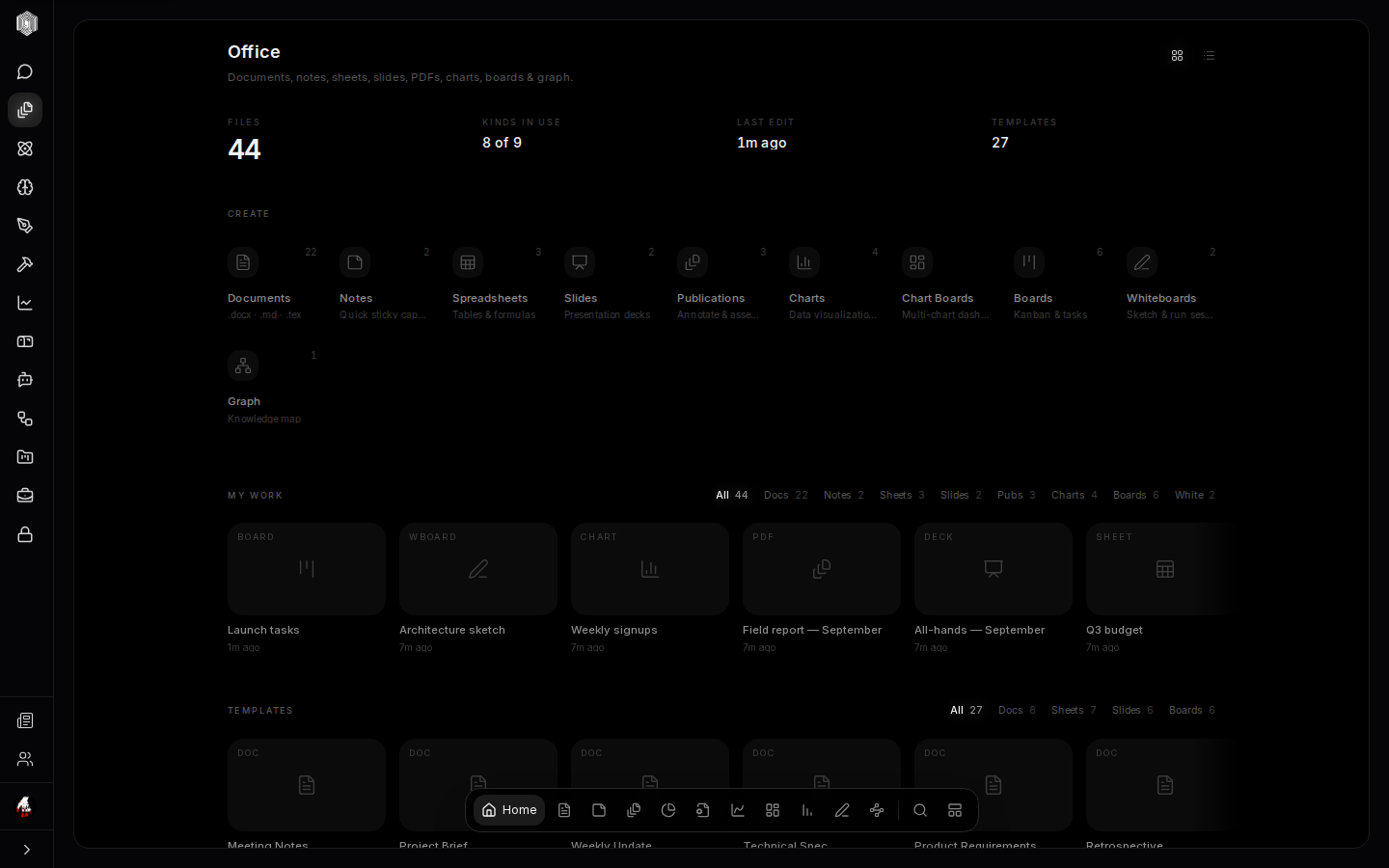
From the dashboard's create row: Documents are word-processing files (.docx, .md,
.tex). Notes are a wall of sticky notes for capture that is too quick for a document.
Spreadsheets are grids with formulas and multiple sheets. Slides are presentation
decks with layouts and speaker notes. Publications are PDFs you can annotate, stamp, and
re-assemble into new pages. Charts turn numbers you type or paste into a dozen chart
types; Chart Boards arrange several charts on one dashboard. Boards are kanban task
boards. Whiteboards are freehand sketching surfaces. The Graph is not a format at all
— it is a map of how everything connects.
You do not need to remember the list. Open Office, look at the create row, and pick the shape of the thing you are thinking about. If you are wrong, converting is usually a copy-paste away, and the graph (page six) shows you everything you own regardless of format.
Where your files live
Office documents are stored server-side against your account, which is what makes the section's collaboration possible: invited people can open a read-only preview from anywhere; comments and edits stay in your editor. Documents are stored on our servers; version history is kept on this device. In an organisation, Office can also be scoped to the org — a workspace's own document library, separate from your personal files, with a visible badge while you are inside it.
Because files are server-backed, the desk is honest about state: the editors show Saved
the moment a write lands, and documents carry version history on this device (page two covers
it), so an experiment that goes wrong is a restore rather than a loss. Export is
always one menu away — .docx, .xlsx, PDF, PNG — so your work never lives only here.
Your first document
From the dashboard, click Documents in the create row and pick a template — a blank doc, meeting notes, a project brief, a weekly update, a technical spec, product requirements, a retrospective, 1:1 notes, or a cover letter. The document opens immediately with the template's structure in place. Type, and the editor saves as you go; the word count in the header ticks along with you.
If a template is not the point, Blank Doc starts from nothing. Either way the editor is the same: a formatting toolbar along the top, a full formatting dock along the bottom, and the page in the middle at real paper proportions. Page two of this group walks the editor end to end.
Finding things later
Three tools keep a growing desk navigable. The filter box at the top of every tab list narrows by name as you type. The Find a document action (the magnifier, or ⌘K from anywhere in the app) searches every format at once. And the Graph view draws the whole library as a map — every document a node, links between them drawn — with a Clusters mode that groups related work automatically. Folders round it out for people who think in trees: documents can be filed, and the rail navigates the folders.
Everything in this group assumes only what this page has said: open Office, pick a format, and the desk does the rest. The next five pages go deep — documents first, because that is where most desks begin.