Library & the assistant
The Library is Studio's memory: every durable asset the studio has saved, in one catalog, searchable and filterable, with the honest provenance of each thing attached. The assistant is Studio's conversation partner: a Poly sidebar in every tab, carrying context for exactly the room it is in. Neither makes anything by itself — both exist so that everything else is findable, repeatable, and never a dead end.
The Library
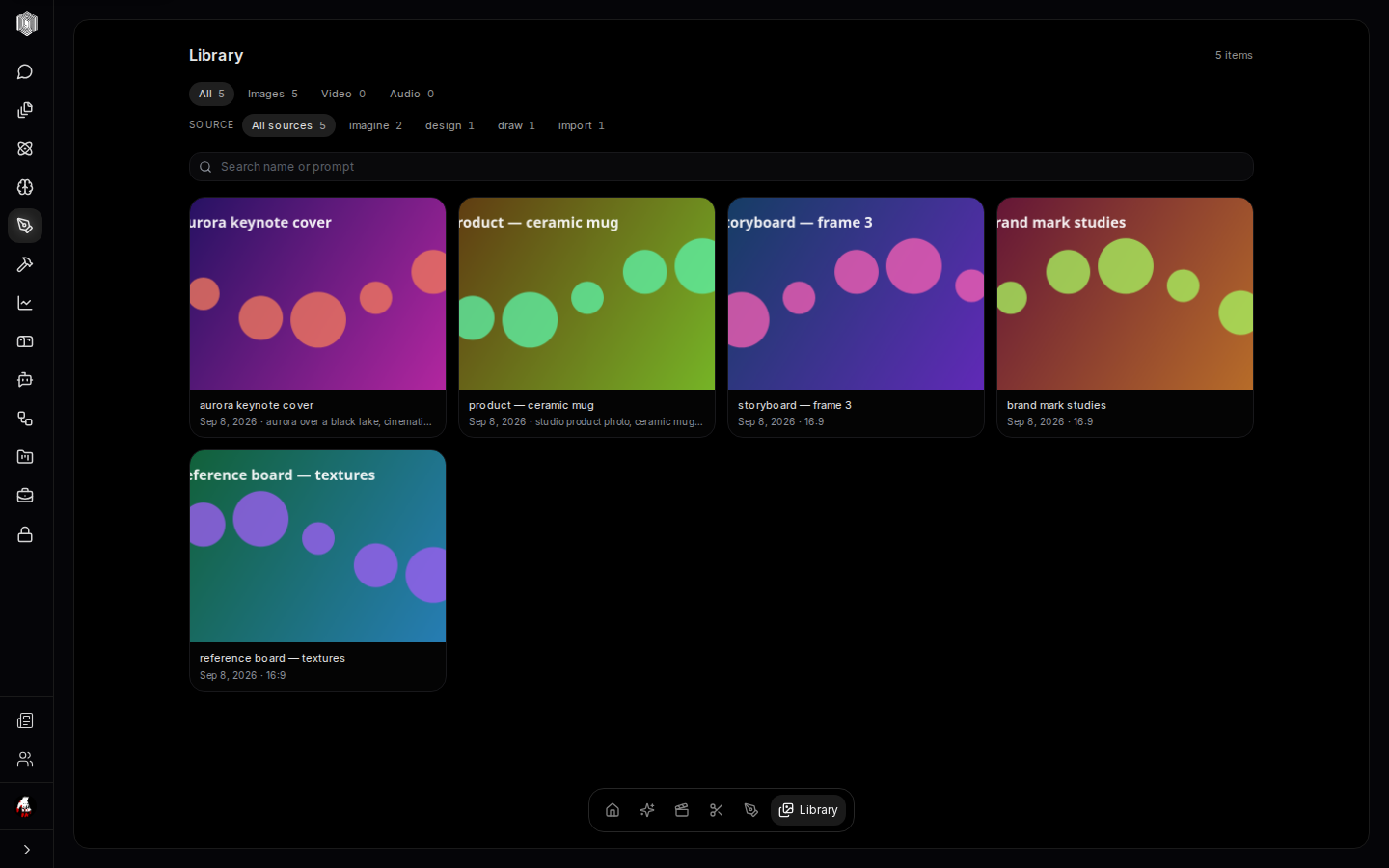
The Library's grid shows every saved asset as a card — thumbnail, name, the date, and the line that makes it findable again: the prompt that generated it, or the source it came from. The facet rows above the grid do the filing for you: kind (Images, Video, Audio) and source — chat, imagine, film, design, draw, video, or import — each with a live count, so "the two things Imagine made this month" is two clicks, not an archaeology project. The search box reads names and prompts, which is how people actually remember their work: "sunset", "mug", "trailer frame".
Clicking a card opens the asset full-size in a lightbox; from there — or from each card — the actions that matter are one click: Download, Add to project (filing it into a project in the projects hub), Rename, Remove from library (unfile it — the file survives elsewhere), and Delete everywhere (the real deletion, spelled out because it really does delete everywhere).
What the catalog knows
Every record carries its provenance honestly. A generated image remembers the prompt, the model, and the aspect that made it — which turns "how did I make that?" into reading a label, and a good result into a repeatable recipe. An imported file remembers being imported. A clip from a film remembers the film. The library does not pretend assets appeared from nowhere, and it does not invent details it does not have — a record whose origin is thin says so by showing its plain source.
The catalog is kept on this device and syncs to your account in the background when you are signed in; previews may need a connection. The grid renders in pages with a Load more at the bottom, so a library of thousands stays as fast as a library of twenty, and the facet counts always answer for the whole collection, not just the visible page.
The assistant
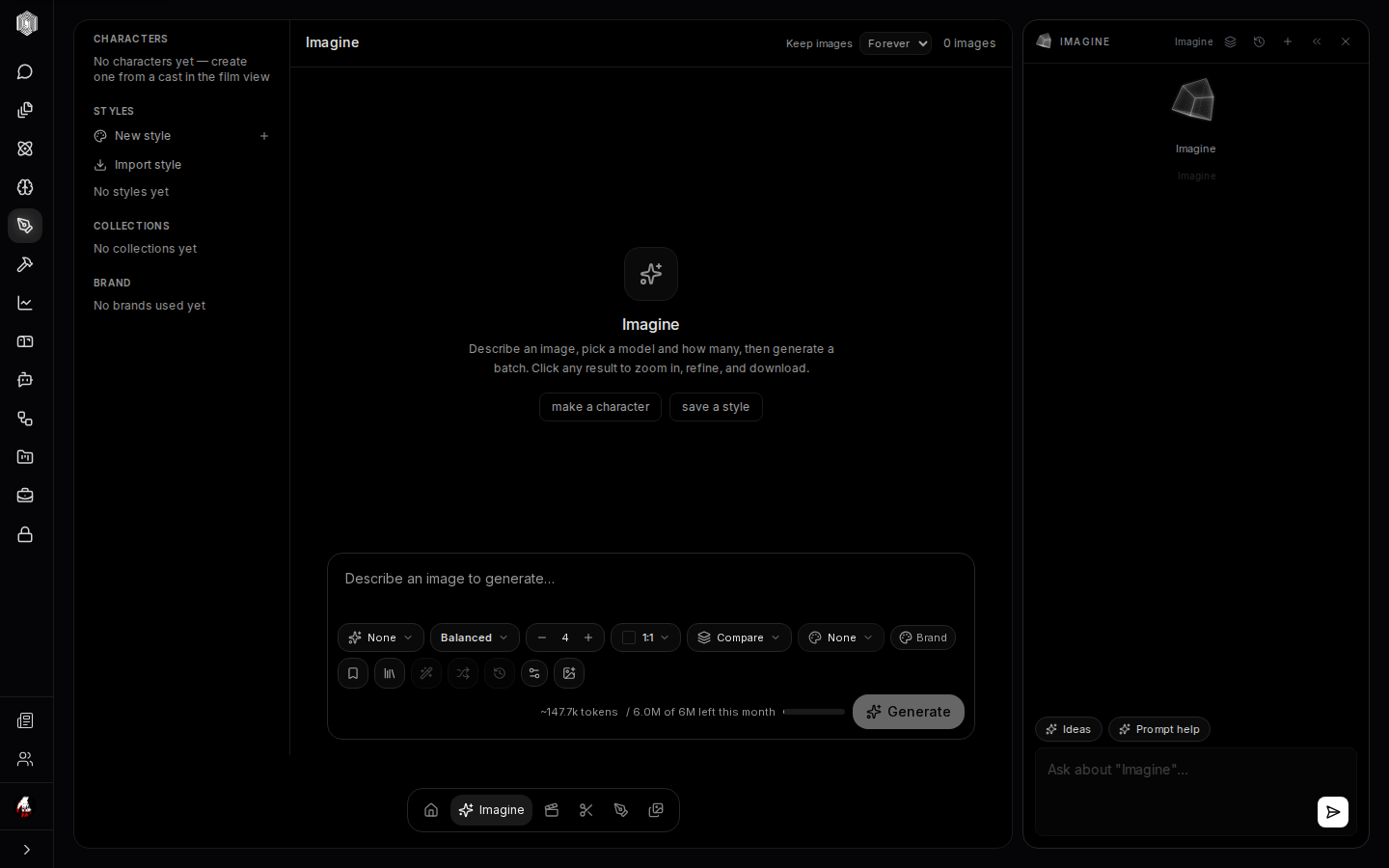
The cube opens the assistant, and in Studio the assistant knows where it is: open it in Imagine and the panel is titled for Imagine, offering Ideas (five concrete creative directions for the tab you are in) and Prompt help (your last message rewritten as a strong, detailed generation prompt), with the input phrased for the room — "Ask about 'Imagine'…". Switch to Film and the same sidebar switches its context; that per-tab awareness is the difference between a chat bolted on and a collaborator in the room.
It is also allowed to do things, not just say them: the sidebar carries an apply path into the surface it is docked beside, so a suggestion it makes about your work can be applied rather than retyped. For prompt work specifically the loop is tight — describe the idea loosely in chat, ask for prompt help, and paste the strengthened prompt straight into the composer.
Keeping the desk honest
Three habits keep Studio pleasant at scale. Save the keepers into the Library — the sandbox's retention window is a choice you control, and the catalog is where control becomes permanence. Name things at save time — the search reads names and prompts, and "final-final-v2" is a name future-you cannot search for. Delete deliberately — the Library separates removing from the collection from deleting everywhere precisely so the destructive one is never an accident. Everything else — the facets, the provenance, the per-tab assistant — exists to keep the distance between "I remember making something like this" and "here it is" as short as possible.