Home
Home is the page that opens when you click the Home dock icon: everything that belongs to you — your wallets, your holdings, your day — arranged so a single screen answers "how am I doing and what is happening right now." It is deliberately about your own book rather than whichever chart you were last reading, so coming here is the equivalent of sitting down at your desk: the same information every morning, organized the same way, so the day starts with your position instead of somebody else's headline. Most traders keep two habits for years — check the book, then check the market — and this page puts them in that order on purpose.
The greeting and the search
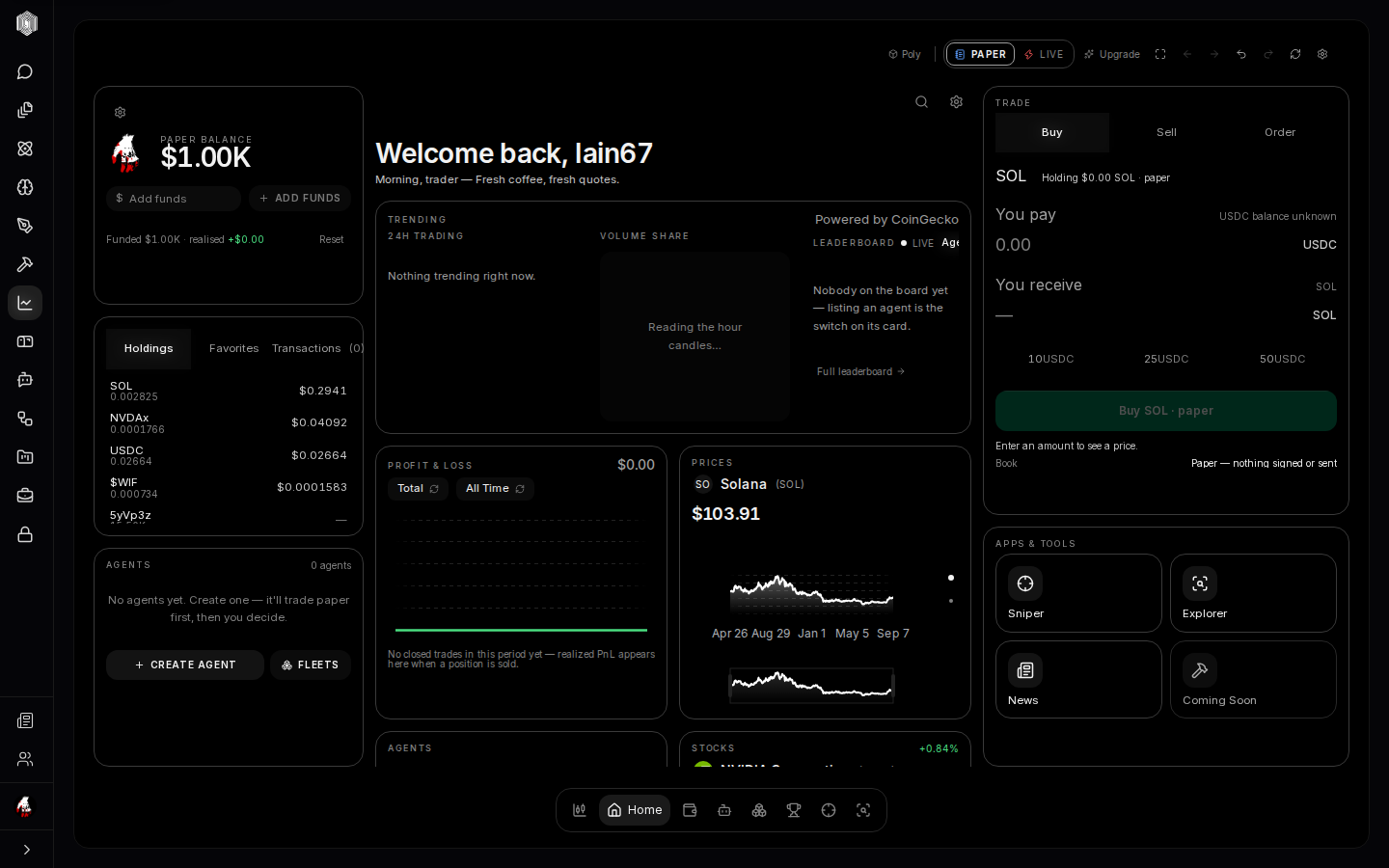
At the top of the center column, a greeting with your name and a line that changes with the time of day — the desk's way of saying the market never closed, and neither did your place in it. Two icons sit beside it. The magnifier opens coin search, which flips the whole page into discovery mode (more on that below). The gear opens settings. Neither is decoration: search is the fastest way from "I heard about a coin" to its chart, and the greeting line is where new listings and notable moves get announced before you have gone looking for them. Between the two, most mornings begin here rather than in the terminal.
The wallet card — what you have
The left column starts with your wallet: the profile you are using, the total available balance, and your list of wallets with the primary one starred. From here you can add a new wallet, connect an external one, link a read-only address you just want to watch, or switch which wallet is primary. Balances are honest — if the chain could not be read, the card says so rather than showing a fake zero. In paper mode the card shows your paper account instead, which is exactly what it should do: practice money gets its own ledger.
Holdings, favorites, transactions
Below the wallet card, a three-way switch changes what the list shows. Holdings is what the selected wallet actually owns right now, each row with its amount and value. Favorites is your watchlist — the coins you starred, whether or not you own them, so you can keep an eye on a token without buying it. Transactions is your in-app trade journal: every buy and sell you made through Poly, newest first, each row a complete record of what happened. Together the three tabs cover the three questions a trader asks all day: what do I own, what am I watching, and what did I do.
Trending — the day at a glance
The center column's first widget is the trending board in three parts. The 24h trading list ranks the day's busiest coins with price and change. The volume share treemap turns the same data into a picture — each coin is a rectangle sized by its share of trading, green or red by direction — and dragging the brush under it re-tiles the map around whatever window of the day you select, which makes "when did the money move" visible. The leaderboard panel shows the top traders and agents live, with a link to the full board. It is the market's weather report: no decisions required, but you should know if it is storming.
Profit & loss, prices, and the book
The PnL widget draws your realized profit and loss — money actually gained or lost on closed trades — with switches for the period and for whose trades count: yours, or one of your agents'. Beside it, the Prices card tracks your favorite coins as small area charts you can scrub with your finger or mouse, a pager dot for each one. Below both sits the book: your whole wallet treated as a running ledger of positions, each with its average cost, its live value, and the 24-hour move — the unrealized side of your trading, the part that only becomes P&L the moment you sell. The Stocks card rounds out the center with the top tokenized stocks moving like coins, same card shape, same rules.
The trade ticket and apps & tools
The right column carries the trade card pinned to your own wallet: Buy, Sell, and — the one worth knowing about — Order. The order tab opens the order book: limit orders that fire at a price you choose, recurring buys that average your entry over time, and armed stops that sell automatically if a price falls past your line in the sand. Below it, the Apps & Tools card is the door to the rest of the section: the Sniper for new token launches, the Explorer for investigations, News for the tape of headlines, and room for what comes next.
Coin search and discovery
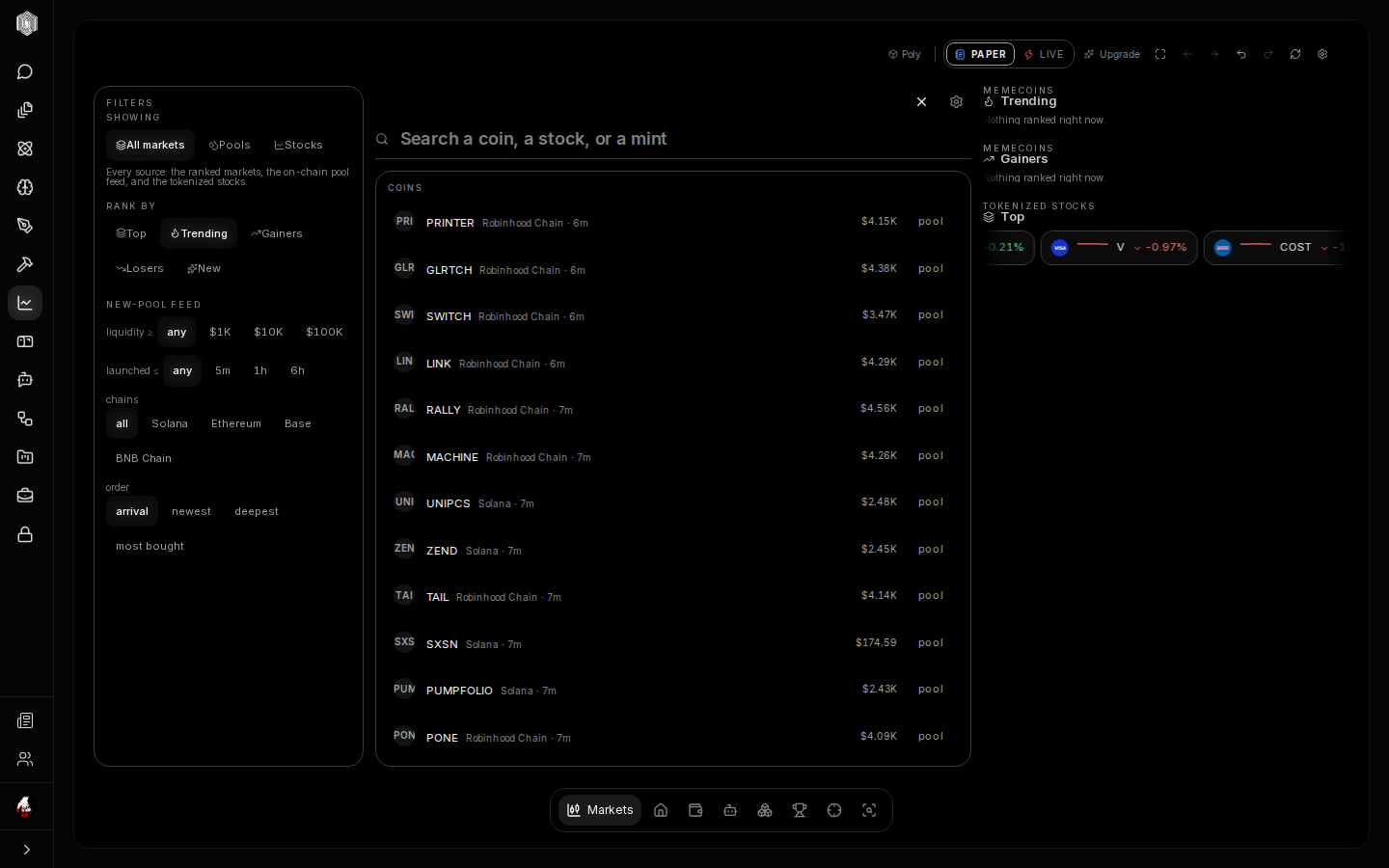
Click the search icon and the page flips into explore mode. The left column becomes a filter bench — chain, liquidity, age, sort, and scope, including tokenized stocks and liquidity pools — the center becomes a ranked coin list answering those filters, and the right column becomes a carousel of discovery. Paste a contract address and Poly jumps straight to its pool. This is the "walk the aisles" mode: no particular token in mind, just the shelves of the market arranged by whatever you care about — freshest, busiest, biggest — with the filters doing the pruning that scrolling never will.