Studio — start here
Studio is the creative desk: the place where a sentence becomes an image, an image becomes a scene, and a brand becomes something the rest of your work can reuse. Six tabs cover the whole pipeline — Imagine for stills, Film for video, the Editor for cutting and finishing, Draw for freehand art, the design workspace for brand systems, and the Library that keeps everything you have made. This page is the tour before the tour: what each room does, how they hand work to each other, and where the results live.
What Studio is
Studio exists because creative work is a chain, and chains need workbenches. A prompt in Imagine produces a batch of stills; a still worth moving on becomes a reference in Film, where short video sequences are composed shot by shot; anything needing a cut, a filter, or a soundtrack lands in the Editor; and Draw is the freehand canvas where sketches, storyboards, and brand marks happen — with the design workspace beside it that turns a drawing into a reusable design system. The Library is the drawer everything is kept in, and the assistant rides along in every tab with creative context for whichever room you are in.
Nothing here requires another app. Generation, composition, editing, and export all happen in the same window with the same account, and every finished asset can be downloaded, added to a project, or handed to the other sections — an image into a document, a film into a chat, a logo into a design system.
The six tabs
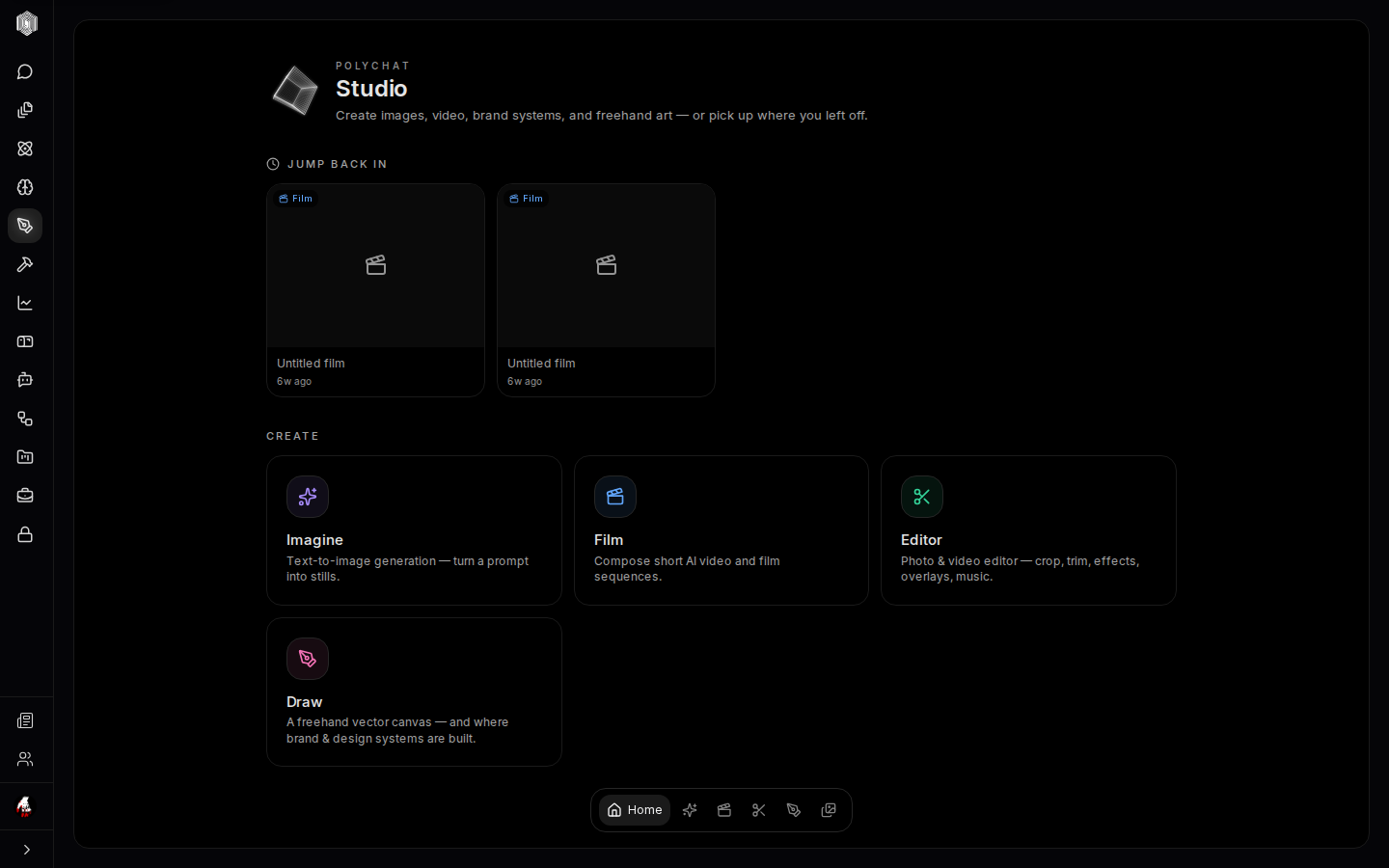
Imagine generates still images from a prompt, in batches, with styles and characters for consistency. Film composes short AI video — describe the film, get shots, refine them. Editor is the photo and video workbench: crop and trim, effects and filters, overlays, music, and export. Draw is a freehand vector canvas organized into scenes — and the front door of the design workspace, where palette, type, logo, and brand assets become a system the other tabs can use. Library is the catalog of every durable asset, searchable and filterable. Home ties it together: jump back into whatever you had open, or start something new from the create row.
The bottom dock (or the side rail, depending on your nav preference) switches tabs, and the keyboard does too: 1 through 6 jump straight to Home, Imagine, Film, Editor, Draw, and Library — skipped automatically while you are typing in a prompt box.
Where your work lives
Finished assets are kept honestly, and the desk tells you which kind you are looking at. Generated images are saved against your account and reappear on any machine you sign in from (when the save succeeds; the tile shows if it didn't); film sessions sync the same way, so a half-finished cut at the office is finishable at home. The Library's catalog is kept on this device and syncs to your account in the background when you are signed in; previews may need a connection. Draw boards persist as you draw, and the design workspace applies its edits to the board live.
The practical consequence: you do not manage files here. You make things, and the Library (page five) remembers them — searchable by name or prompt, filterable by kind and by which tab made them, downloadable when something needs to leave.
The assistant in every room
Each tab carries the Poly assistant with context for exactly that room: open it in Imagine and it knows you are generating stills, with quick Ideas and Prompt help actions and an input that asks about Imagine by name. It is not a generic chat bolted to the side — it can turn a vague idea into a strong generation prompt, suggest what to try next, and apply suggested edits to the surface you are on. For anyone who has ever stared at an empty prompt box, the assistant is the fastest way to a first draft of an idea.
How the pieces hand off
The hand-offs are the design. A Draw board's Send to Imagine button moves a sketch into the image generator as a starting point. Imagine results download as images — into the Editor, into a document, or back onto a Draw board as reference. Film composes shots from prompts and reference assets, and its finished cuts export as video files. The design workspace's brand — palette, type, logo — is meant to be used, not admired: images generated with a brand applied stay consistent with it. And the Library binds it all together, since every asset, from every tab, lands in one searchable catalog.
The next four pages walk the rooms in the order a piece of work usually flows: Imagine, Film and the Editor, Draw and design, and the Library with the assistant.