Draw & design systems
Draw is the freehand canvas — an infinite, vector-based board organized into scenes — and it carries a second identity: it is where design systems are built. Sketch on the board, and the design workspace beside it turns what the drawing established into a reusable brand: palette, type, logo, the works. This page covers the canvas, the tools, and the workspace that makes the drawing worth more than a picture.
The canvas
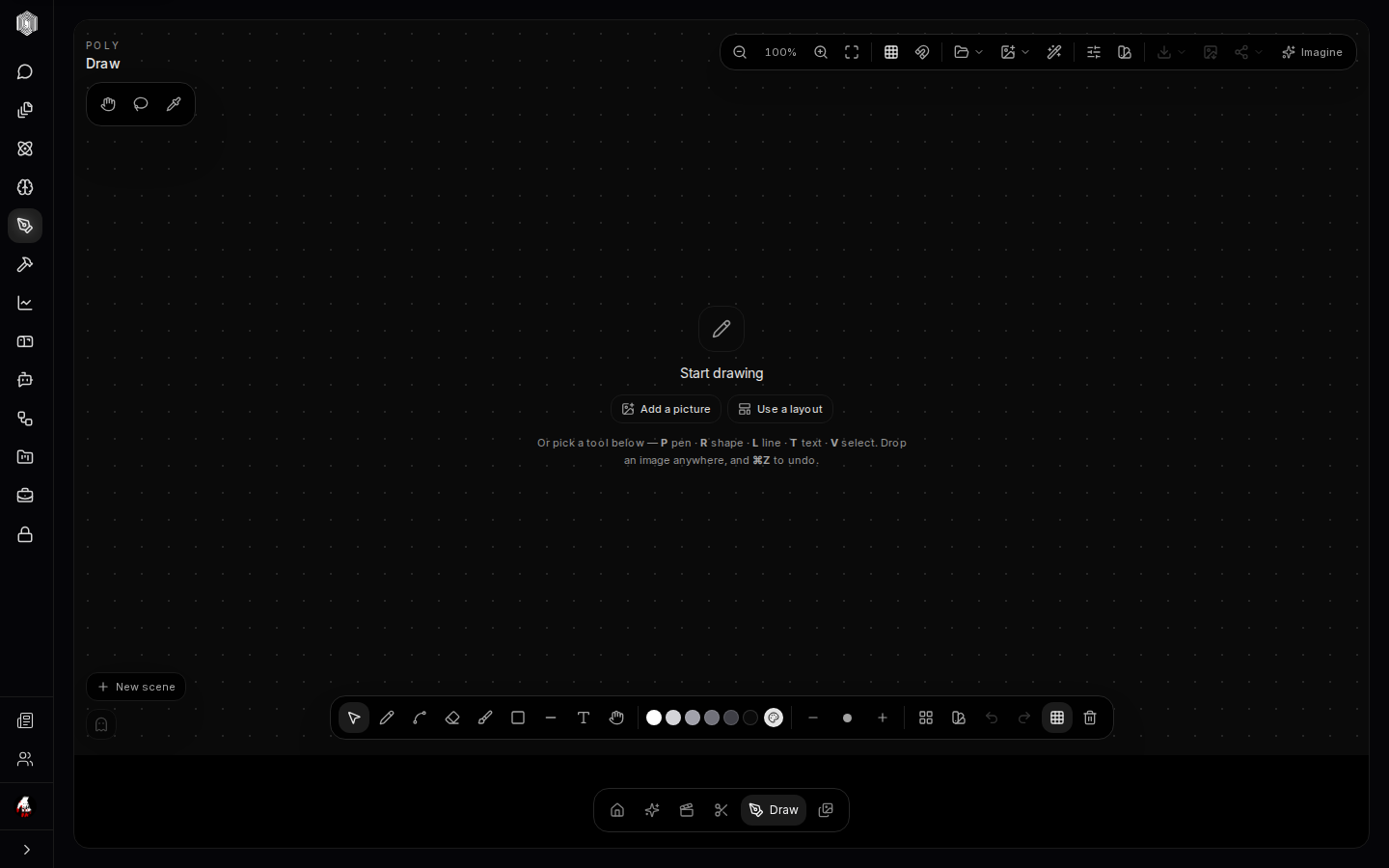
Draw opens quiet: a dotted canvas, a tool dock along the bottom, and an honest empty state that says where to start — add a picture, use a layout, or pick a tool. The tools are keyboard-first, and the dock is the reference: P pen, R shape, L line, T text, V select. Images can be dropped onto the board from anywhere, colour swatches and stroke size sit in the dock, zoom and fit-to-content keep the big picture reachable, and ⌘Z undoes. Everything on the board is vector, so a sketch drawn at napkin size exports sharp at poster size.
The board is organized into scenes — New scene in the corner — which are the storyboard habit built into the tool: one idea per scene, ordered, reviewable as a strip. A hero frame and its variants, the beats of a story, the states of an interface; scenes keep them adjacent without piling one canvas.
Scenes, pictures, and Imagine
Draw is not an island. Add a picture brings in anything — an Imagine result, a product photo, a screenshot — as material to draw over and around, and Send to Imagine (top right) goes the other way: the board, or a piece of it, becomes the starting point for a generation. Sketch the composition, send it to Imagine, paint the style on top of the structure you drew. Use a layout gives the scene a starting arrangement when the blank page is the enemy.
Boards persist as you draw, and the board's shapes are real objects — select, move, recolour, retype — not baked pixels. That is what makes the design hand-off work: the workspace can read what you drew.
The design workspace
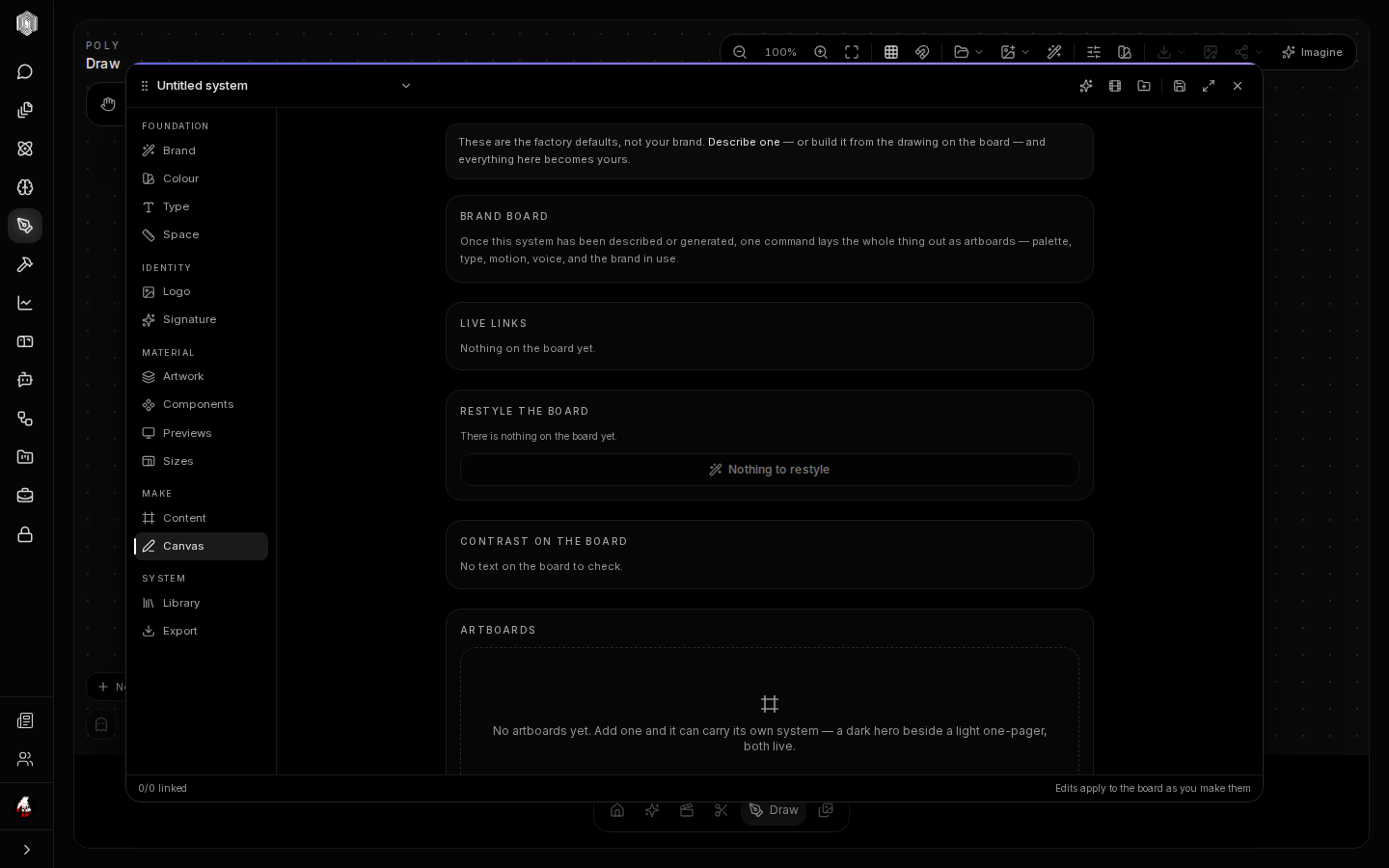
Open the design workspace (the design door, or a bookmarked design link) and a system
panel mounts over the board, organized top to bottom: Foundation — Brand, Colour, Type,
Space; Identity — Logo and Signature; Material — Artwork, Components, Previews,
Sizes; Make — Content and Canvas; System — Library and Export. The workspace's
opening honesty sets the deal: these are factory defaults, not your brand — describe one,
or build it from the drawing on the board, and everything here becomes yours.
"From the drawing on the board" is the interesting half. The board is where the brand is actually argued with — swatches tried against each other, type set at real sizes, the logo drawn and redrawn — and the workspace harvests that argument into a system. The Brand board lays the whole thing out as artboards: palette, type, motion, voice, and the brand in use. Live links show what on the board is bound to the system; Restyle the board applies a system change to the drawing in one move; Contrast on the board checks text legibility against what is actually drawn, not an abstract swatch.
Why the system matters
A design system earns its keep the moment the brand appears anywhere else — and in Studio that is everywhere. The brand toggle in Imagine generates images inside the system's palette and mood; films inherit it shot to shot; documents and decks in Office have their own themes, and a system's colours are the honest source for them. The workspace's Artboards carry the system out as images — a dark hero beside a light one-pager — and Export packages the pieces for the places that speak plain files.
The workflow is circular by design: draw freely, promote what worked into the system, and let the system discipline the next generation of work. Nothing needs the workspace until a brand exists; once it does, every surface in Studio reads from it.